


UI and UX design are indispensable elements in creating successful websites in today's digital age. Understanding the website anatomy is critical for creating a seamless user experience. At the core of this process lie two key elements: moodboarding and wireframing. These tools shape the foundation of an engaging and user-friendly website.
In this blog, we will cover the basics of moodboarding and wireframing, how they work together in UI UX design, and how mastering these can give you an edge in your career.
What is Website Anatomy?
Before we dive into the specifics, let’s briefly explore the term "website anatomy." This refers to the overall structure, design, and functional components that make up a website. Much like the human body, websites have different "systems" that need to function cohesively for a smooth user experience.
Core Elements of Website Anatomy:
- Header and Navigation: The top section of a website that often includes the logo, menu, and essential links.
- Main Content Area: This is the heart of the website, where most of the relevant information or services are displayed.
- Footer: The bottom section that usually includes secondary links, contact info, and other essential but non-primary information.
Understanding these fundamental parts of a website helps designers and developers create cohesive structures that serve both the user and the business effectively.
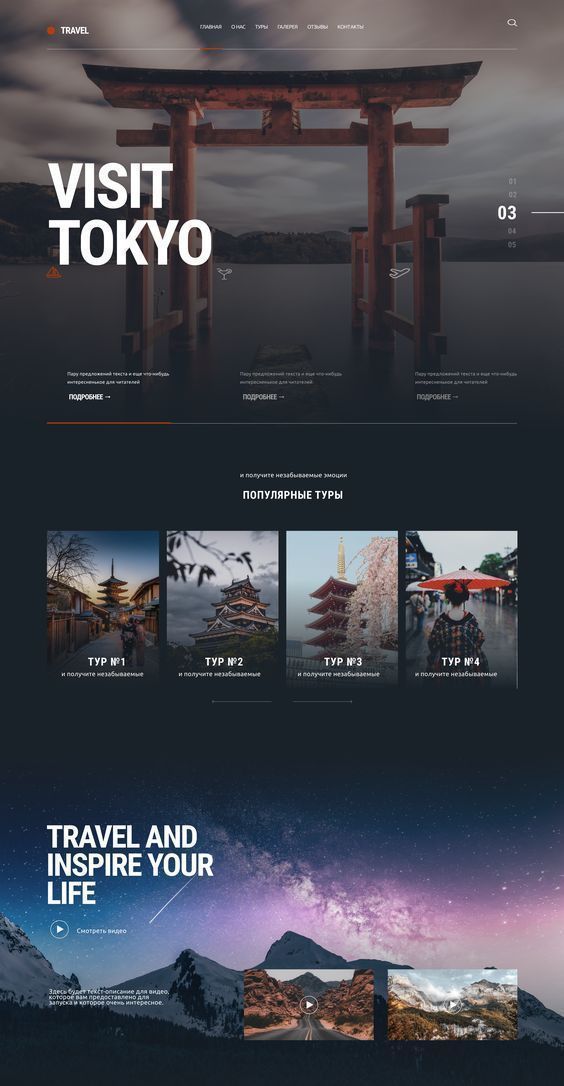
Website design_©designmodo.com
Moodboarding: Setting the Visual Tone
Moodboarding is one of the first steps in the UI design process. It's essentially a visual tool that helps designers set the aesthetic tone for the project. But how exactly does it work? A moodboard combines various design elements—such as color schemes, typography, and imagery—to create a cohesive visual language.
Why is Moodboarding Essential?
Moodboarding acts as a guide for both the design team and the client, ensuring that everyone is on the same page regarding the visual direction of the website. It prevents miscommunication and allows you to showcase the overall style before diving into the details of the design.
Some key benefits of moodboarding include:
- Visual Consistency: It ensures that all pages have a unified look and feel.
- Early Client Feedback: You can get valuable input before starting more detailed work.
- Efficient Workflow: With a defined style, the design process becomes faster and smoother.
How to Create an Effective Moodboard?
Creating a good moodboard involves collecting images, typography styles, color palettes, and other design elements that align with the brand's identity.
Here’s how you can approach it:
- Select a Color Palette: Choose colors that resonate with the brand’s message.
- Find Inspirational Imagery: Images should reflect the mood and feel you want the website to convey.
- Typography Selection: Fonts play a crucial role in both readability and visual appeal.
- Look for Patterns and Textures: Subtle design elements like textures can enhance the user experience.
Real-Life Example of Moodboarding:
For instance, if you're designing a website for a luxury hotel, your moodboard might include neutral tones, elegant fonts, and high-end photography. This will help establish a premium, sophisticated vibe, making it easier to translate these choices into your final design.
Wireframing: The Blueprint of Website Design
Once you’ve set the visual tone through moodboarding, the next step in the UI UX design process is wireframing. While moodboarding focuses on the look and feel, wireframing zeroes in on the structure and functionality.
A wireframe is essentially the skeletal layout of a website. It outlines where key elements like headers, footers, navigation menus, and call-to-action buttons will be placed.
Why is Wireframing Important?
Wireframing helps to visualize the website's layout and functionality without getting bogged down in design details. It serves as a blueprint that ensures every component is thoughtfully placed for ease of navigation and usability.
Key reasons to use wireframing include:
- Clarifying Layouts: It provides a visual representation of how different sections will be arranged.
- Testing User Journeys: Before any actual design work, wireframes can be used to simulate user interactions and journeys.
- Streamlining Collaboration: It helps teams, including designers, developers, and stakeholders, collaborate effectively by visualizing the structure early on.
How to Create an Effective Wireframe?
The focus should be on simplicity and clarity. A good wireframe will outline the structure without diving into details like color or typography.
Here’s how to create a wireframe:
- Start with a Basic Layout: Define the placement of key elements—navigation, header, main content, and footer.
- Add User Interaction Points: Identify where users will interact, such as buttons, forms, or links.
- Refine the Flow: Ensure that the user journey from one page to another is seamless and intuitive.
Wireframing Example:
Suppose you're creating a website for an e-commerce store. Your wireframe would prioritize the placement of the product grid, navigation menu, and search bar. You would also include areas for product descriptions, customer reviews, and a shopping cart.
Combining Moodboarding and Wireframing for a Cohesive Design
Now that you understand both moodboarding and wireframing, it’s essential to know how they work together. Both tools are crucial for building a functional and aesthetically pleasing website.
The Synergy Between Visuals and Structure
Moodboarding and wireframing complement each other by addressing both the emotional and practical aspects of website design. While moodboarding sets the tone and branding, wireframing ensures that the user experience remains intuitive and efficient.
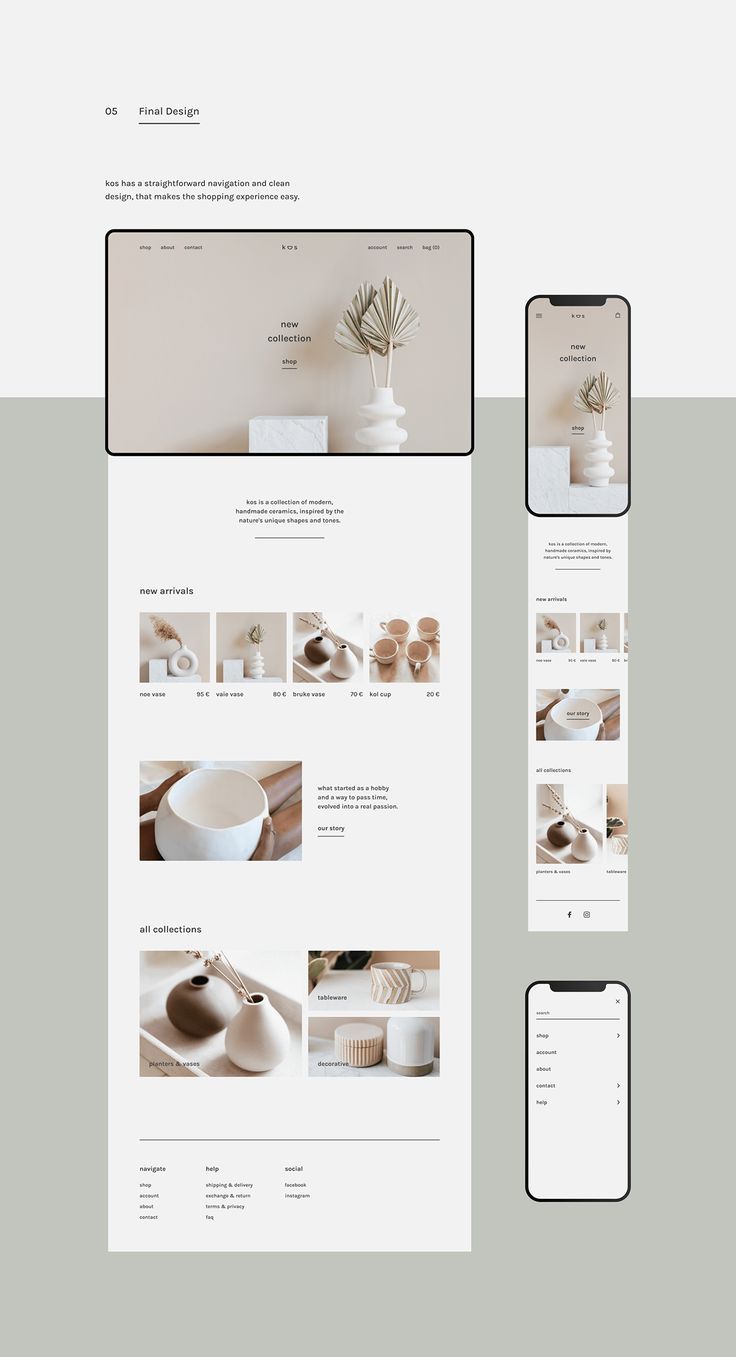
Website design_©Merita Laulaja on Behance.net
Best Practices for Effective Moodboarding and Wireframing
To wrap things up, here are some best practices to keep in mind when moodboarding and wireframing:
Moodboarding Tips:
- Keep your audience in mind; design for the user, not just aesthetics.
- Don’t overcrowd your board with too many elements.
- Always align your visual elements with the brand's tone and objectives.
Wireframing Tips:
- Focus on user flow and interactions.
- Keep the layout simple and intuitive.
- Test your wireframes with actual users to ensure a seamless experience.
Conclusion
Moodboarding and wireframing are the unsung heroes of website anatomy. These tools form the foundation of any well-designed website by ensuring a perfect balance between aesthetics and functionality. Whether you’re a budding designer looking to sharpen your skills or someone considering a UI UX design course, mastering these techniques will elevate your design projects. Investing in a UX design certification can help further solidify your understanding and set you up for success in the competitive field of web design.
Become a UI-UX Design expert! Our UI-UX Design Certification Course equips you with the skills to design websites that are not only beautiful but also intuitive and user-friendly. Transform your design skills, enroll now!
Visit the Kaarwan website for more insights!
FAQs
Q.1 What is a moodboard in UI-UX design?
A moodboard is a visual tool used to set the tone and aesthetic of a design project. It helps organize elements like colors, fonts, and images to create a cohesive style guide for the website or app.
Q.2 What is the anatomy of the web page design?
The anatomy of a web page includes key sections like the header (navigation and logo), the main content area (text, images, etc.), and the footer (contact info, secondary links).
Q.3 What is a wireframe in UI-UX design?
A wireframe is a basic layout of a web page that outlines the structure and placement of elements. It helps designers focus on usability and navigation without distractions from design details like colors or fonts.
Q.4 How to create a UI moodboard?
To create a UI moodboard, collect visual elements like color schemes, typography, and inspirational images that align with the project’s theme. Organize them to guide the design process effectively.
Q.5 Do I need coding for UI-UX?
Coding is not always necessary for UI/UX design. However, understanding basic coding concepts can be helpful for collaborating with developers and enhancing your design's feasibility.




